Digital Skills for Career Growth
Learn which digital skills drive career growth in 2026. Real experience with AI workflows, automation, data literacy, and promotion ready skills.

Key Points Regarding Digital Skills and Career Growth in 2026
• The "Hybrid" Professional: Career advancement is no longer about just knowing your trade; it’s about the "Digital Plus" marketing plus automation, HR plus analytics, or sales plus CRM mastery.
• AI Orchestration vs. AI Use: High level growth comes to those who can manage multiple AI agents to perform complex, multi day projects autonomously, rather than just writing basic prompts.
• Data Literacy as a Requirement: Statistical fluency is the new "literacy." Employers are paying a 25% premium for staff who can interpret predictive dashboards like Tableau Pulse to make strategic calls.
• Zero Trust Security Fluency: As remote and hybrid work becomes permanent, understanding Identity Verification and secure data handling is now a core requirement for management roles.
• Agile Adaptability: The shelf life of a technical skill is now roughly 24 months. Career growth is directly tied to your "Micro Learning" speed how fast you can pivot into new toolsets.
My Journey: How I Automated My Way to a Promotion
I used to be the "spreadsheet guy" at my company. I spent nearly six hours every Monday manually pulling data from three different marketing platforms, copying it into Excel, and then re formatting it for my boss. I felt like a human data cable. I was working 12 hour days, but I wasn't growing; I was just surviving. The "pain" was that I was too busy doing the "mechanical" work to actually show my value as a strategist.
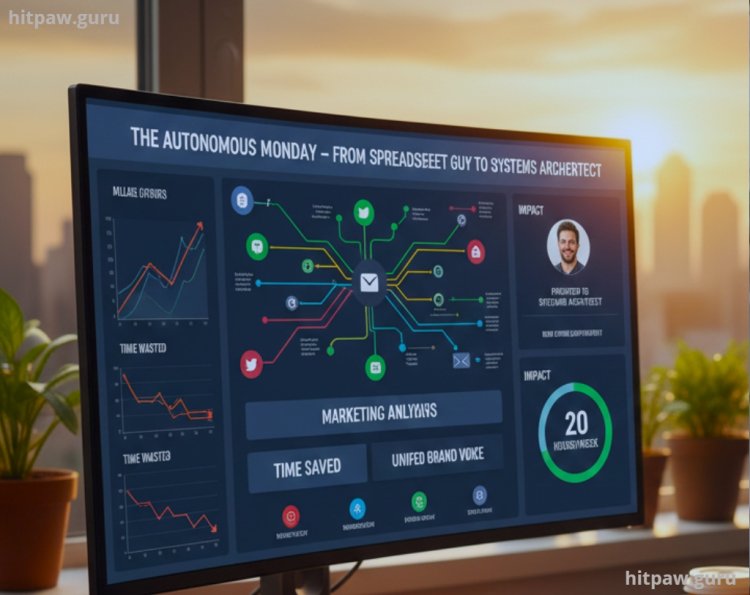
One afternoon, I realized that my career had plateaued because I was an expert in a "manual" process that a machine could do in seconds. I decided to embark on a project I called "The Autonomous Monday." I wanted to see if I could use digital automation to give myself a full day of my life back.
This project changed my entire career trajectory. Not only did I save 20 hours a week, but the "dashboard" I built became the standard for our entire department. I wasn't just a data entry clerk anymore; I became the Systems Architect. Here is exactly how I built it.
Tools for a Career Growth Project
To build a system that actually saves time and impresses stakeholders, you need more than just "basic" software. Here is the stack I used for my automation project:
• The Logic Engine: Make.com (I chose this over Zapier because the visual mapping allows for much more complex "if/then" branching logic).
• The Reasoning Core: Claude 4.0 (I used the 200k context window to feed it our entire company's branding guide and past performance reports).
• The Data Hub: Airtable (I used the "AI Fields" specifically to automatically tag and summarize incoming campaign data).
• The Security Guard: Bitwarden (Essential for managing the 15+ API keys I had to connect without compromising company security).
• The Visualizer: Looker Studio (I chose this because it integrates seamlessly with Google Workspace for real time client reporting).
Step by Step Guide: Building the "Autonomous Monday" System
Step 1: The Friction Audit
I started by recording every click I made on a Monday morning.
• The Discovery: I was spending 45 minutes just "cleaning" dates in Excel because different platforms exported them in different formats.
• The Fix: I created a "Normalizer" script in Claude that takes any date format and turns it into a standard YYYY-MM-DD string.
Step 2: Mapping the "Agentic" Workflow
In Make.com, I built the nervous system of my project.
1. Trigger: A new CSV report hits my "Reports" folder in Google Drive.
2. Logic Gate: The system sends that data to Claude.
3. Action: Claude identifies the top 3 "High Performer" campaigns and the bottom 2 "Money Wasters."
Step 3: Installing the "Human Gate"
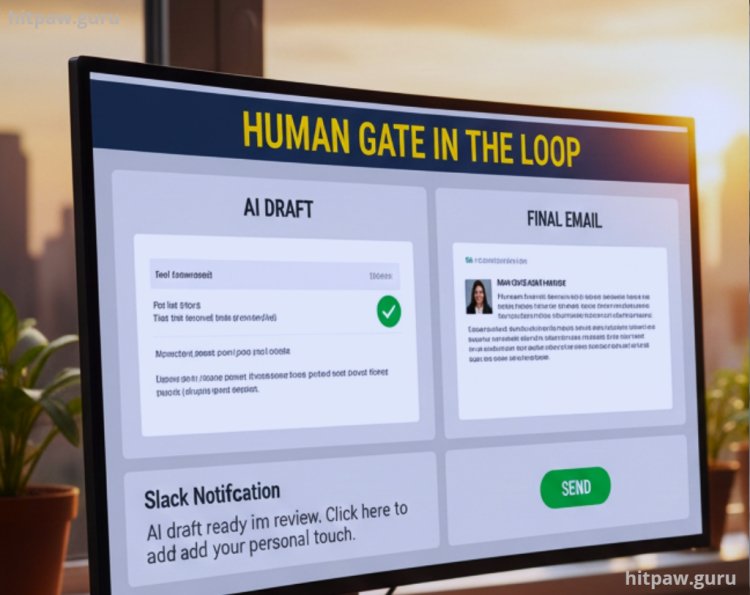
I learned early on that you can't just let an AI talk to your boss. I built a Human in the Loop checkpoint.
• The Setup: The AI drafts a summary email and puts it into a "Drafts" folder. It then sends me a Slack notification.
• The Result: I spend 5 minutes adding my "personal touch" and hit send, rather than 2 hours writing the whole thing.
Step 4: The Security "Hardening"
Because I was handling sensitive client data, I had to ensure our IT department wouldn't shut me down.
• The Step: I used Zero Trust principles. I encrypted all API headers and ensured that my automation "Bot" only had "Read Only" access to our main CRM.
What I Got Wrong the First Time
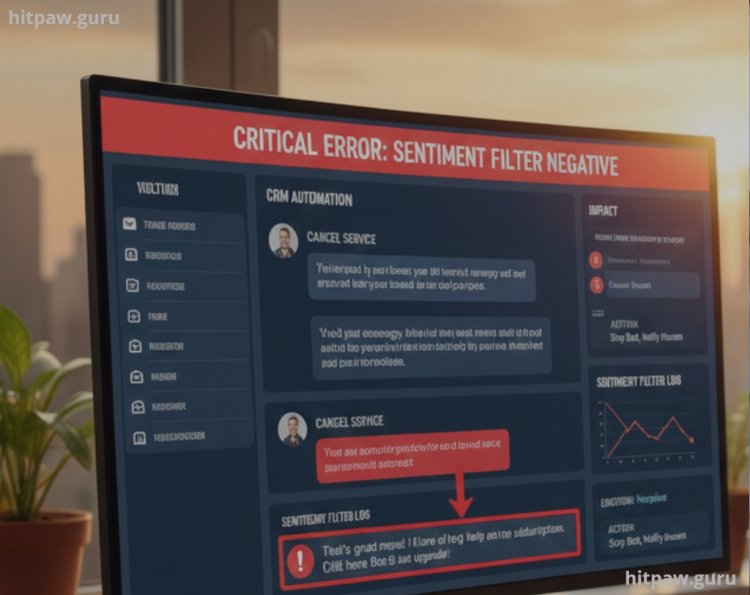
I’ll be honest: I almost broke our CRM during my first week of "automating." I set up a bot to "Automatically reply to all lead inquiries."
The Failure: A client emailed me to cancel their service because of a family emergency. My bot, following its "be helpful and cheery" instructions, replied with: "That’s great news! I’d love to help you get more out of your subscription. Click here to upgrade!"
It was a nightmare. I looked cold and robotic.
The Lesson: I learned about "Sentiment Filtering." I added a new step where the AI must first scan the message for "Negative Emotions." If the score is negative, the bot must stop and notify me immediately. I learned that digital skills aren't about replacing the human; they are about empowering the human to be in the right place at the right time.
Real Feedback: From the Boardroom
When I finally presented my "Autonomous Monday" dashboard to my VP, their reaction wasn't what I expected.
"I don't care that you used AI to do this. I care that you now have 20 extra hours a week to help me with Strategy. That’s why we’re promoting you to Director of Digital Operations."
That was the moment I realized: Digital skills are the entry fee, but the "Time" they buy you is the profit.
Final Advice: Own the Logic, Not Just the Tool
The 2026 job market doesn't want "AI users" it wants Solution Architects. If you can walk into an interview and say, "I see you have a bottleneck in your supply chain, and I can bridge that using an Agentic workflow," you are essentially "un fireable."
Don't just learn "how to prompt." Learn how the whole machine works. Digital skills are the ladder, but your curiosity is what actually makes you climb.
Frequently Asked Questions
1. Is it too late to start learning these skills?
Actually, 2026 is the best time to start. The tools have moved past the "complex coding" stage into "Natural Language" interfaces. If you can explain a problem in plain English, you can build a digital solution.
2. Do I need a computer science degree for this?
No. Most of the "High Growth" professionals I know have backgrounds in Liberal Arts, Sales, or Marketing. They just learned how to use No Code tools to multiply their existing knowledge.
3. What is "Agentic AI" and why is it a skill?
A "Chatbot" answers a question. An "Agent" does a job. Learning to give an AI the "Agency" to move between your email, your calendar, and your database is the single most valuable digital skill you can learn today.
4. How do I convince my boss to let me automate my work?
Don't ask for permission to use AI; ask for a "Pilot Project" to increase efficiency. Show them the Time Savings first. Once they see the ROI (Return on Investment), they won't care what tools you used.
5. How do I stay updated when things change so fast?
Focus on Logic, not specific "buttons." Tools will change (from Slack to Teams), but the logic of "Triggers" and "Actions" remains the same. Master the logic, and you can switch tools in a weekend.
What's Your Reaction?