Essential Digital Skills for 2026: Practical AI Skills That Actually Pay
Learn the most important digital skills for 2026 based on real experience. Discover AI workflows, human in the loop systems, and job ready automation skills.

Key Highlights Regarding Digital Skills in 2026
• Beyond "Basic Office": In 2026, proficiency in Word and Excel is a baseline, not a skill. The real demand is for AI Orchestration the ability to connect various AI agents into a seamless workflow.
• The "Human in the Loop" Requirement: As automation scales, the market value of human Judgment and Fact Verification has skyrocketed to prevent "AI Drift."
• Data Fluency as a Language: Employers prioritize candidates who can interpret Predictive Analytics dashboards (like Tableau Pulse) rather than those who simply enter data.
• The 24 Month Shelf Life: Digital skills now expire every two years. Success requires "Micro Learning" habits spending 15 minutes a day on tool updates.
• Cyber Safety is Everyone's Job: With deepfakes becoming common, Identity Verification and Zero Trust security protocols are now essential skills for every administrative and creative role.
My Journey: From "Email Drowning" to Digital Architect
I used to start every Monday with a pit in my stomach. I’d spend the first four hours of my week manually sorting through 200+ emails, copying project updates into a spreadsheet, and then re typing those updates into a Slack channel for my team. I felt like a human data cable exhausted, error prone, and stuck in a loop. I was a "Task Doer," and in a world of rising automation, I knew I was becoming obsolete.
The "pain" hit its peak when I missed a critical client deadline because I was too busy "organizing" the work to actually do the work. I realized that the "Modern Job Market" doesn't care about how busy you are; it cares about your leveraged output.
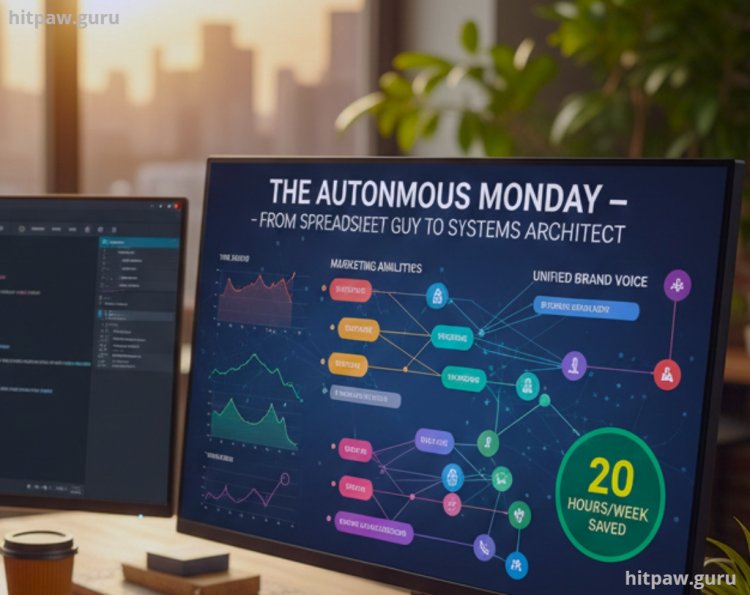
I decided to stop being the middleman and start being the Systems Architect. I set out on a project to build an "Autonomous Project Assistant" that could handle my entire Monday morning routine. This wasn't just about saving time it was about proving that I could command the digital tools of 2026 to deliver 10x the value. This is the exact practical guide for how I did it.
Materials for Your 2026 Digital Stack
To move from manual labor to digital orchestration, you need a specialized "Operations Stack." These are the specific materials I used for my automation project:
• The Reasoning Engine: Claude 4.0 (I chose this for its 200k context window, which allows it to "remember" my entire 50 page company SOP).
• The Nervous System: Make.com (I prefer the visual canvas here over Zapier; it makes debugging complex logic much more intuitive).
• The Research Hub: Perplexity Pro (Essential for real time citations to ensure the AI doesn't hallucinate 2023 data).
• The Data Lake: Airtable (Specifically using the "AI Fields" to automatically categorize incoming data based on priority).
• The Security Guard: Bitwarden (Crucial for managing the 20+ different API keys and logins required for modern automation).
Step by Step Guide: Building Your "Autonomous Assistant"
Step 1: The "Friction Audit"
I tracked my clicks for 3 days using a simple notepad. I realized 70% of my time was "Mechanical" (moving data).
• The Finding: My biggest bottleneck was summarizing long client PDFs into actionable tasks.
• The Skill: I defined this as a "Logical Extraction" problem.
Step 2: Mapping the Logic Branch
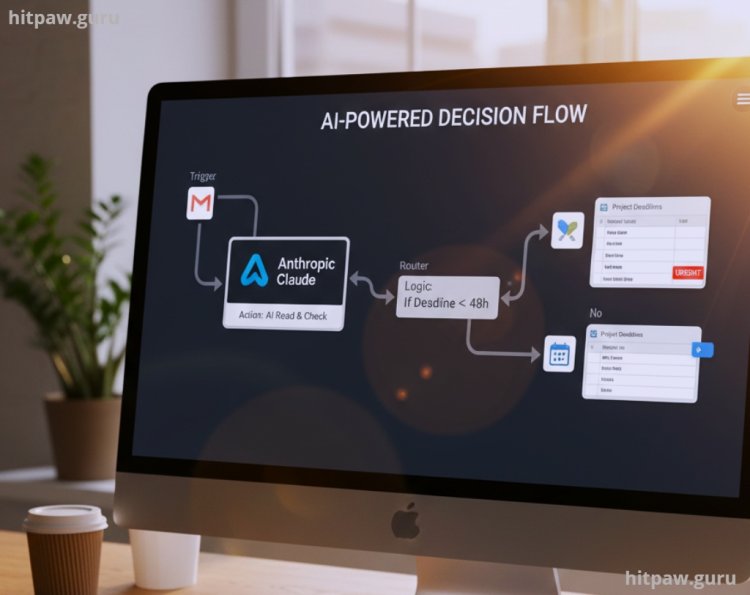
In Make.com, I mapped out the flow. I didn't want the AI to just "read" emails; I wanted it to "decide."
1. Trigger: A new email with an attachment arrives in Gmail.
2. Action (Claude): The AI reads the attachment and checks it against my Google Calendar.
3. Logic: If the deadline is within 48 hours, it tags it as "URGENT" in Airtable.
Step 3: Designing the "Human in the Loop" Gate
This is the most important part of 2026 digital literacy. I didn't let the AI send messages directly to the client.
• The Setup: The AI drafts the response and puts it into a "Drafts" folder. It then sends me a Slack notification with a link to review.
• The Result: I spend 30 seconds approving the draft instead of 30 minutes writing it.
Step 4: Implementing Zero Trust Security
I connected my system to Bitwarden for API management.
• The Action: I ensured that no automated system had "Delete" permissions on my main database only "Create" and "Read." This is a critical digital skill called "Permission Layering."
What I Got Wrong the First Time
When I first built this, I was too ambitious. I tried to build a "Full Auto" system for our client billing. I thought, "The AI can read the invoice, check it, and send the payment link."
The Mistake: A client sent an invoice with a typo: $1,000 became $10,000. My AI agent didn't "think" it was a mistake; it just processed the data. We sent a $10,000 bill to our oldest client.
The Fix: I learned the "High Stakes Checkpoint" rule. Now, for any transaction or public facing message, I have a physical "Review Button" in Airtable. I learned that in 2026, the best digital skill isn't avoiding the work it's Supervising the work. This proves you are the master, not the machine.

Final Advice: Become the “Translator”
From my experience, the modern job market isn’t impressed by people who simply say, “I use AI.” Almost everyone does now. What companies actually need and struggle to find are people who can translate real business problems into practical digital systems.
AI on its own doesn’t solve anything. A business doesn’t wake up wanting “Claude” or “automation.” It wants fewer errors, faster delivery, lower costs, and happier customers. The moment I stopped talking about tools and started talking about outcomes, my value changed overnight.
If you can walk into a meeting and confidently say, “I can save this department 15–20 hours every week by designing a custom Agentic workflow using Claude and Make.com, with human review built in,” you instantly become the most important person in that room. Not because you’re technical but because you understand logic, context, and responsibility.
Frequently Asked Questions
1. Do I need to be a "techie" to learn these skills?
No. In 2026, we have moved into the "No Code" era. If you can think logically "If this happens, then do that" you can build enterprise grade automations. The language of the modern job market is English, not Python.
2. Is my job safe from AI if I learn these skills?
No job is "safe" in the traditional sense, but you become "Anti Fragile." By being the person who manages the AI, you become the one who is too expensive to replace. You aren't competing with the bot; you are the bot's boss.
3. Which tool should I learn first?
Start with Claude 4.0. It is currently the most "reasoning heavy" model and will help you map out the logic for everything else. Once you can "think" with the AI, moving that logic into an automation tool like Make.com becomes much easier.
4. How do I prove these skills on a resume?
Stop listing "Proficient in Word." Instead, list "Built and managed an autonomous project tracking agent saving 15 hours/week." Attach a link to a Loom video showing your automation in action. In 2026, Proof of Build beats a degree every time.
5. Is "Prompt Engineering" still a high paying job?
Not as a standalone title. It has been absorbed into every other role. A marketer who can't prompt is like a writer who can't spell. The high paying version is "Workflow Architecture," where you design the entire system, not just the text.
What's Your Reaction?