How I Built Strong Digital Skills Step by Step
Learn how to develop essential digital skills step by step. Discover practical tips, beginner friendly tools, and real life examples to boost your online abilities and career opportunities.

Main Highlights Regarding Building Digital Skills
Understand why digital skills matter in today’s professional and personal life.
Start with the basics and gradually build expertise using practical exercises.
Apply hands on learning techniques to retain knowledge faster.
Track your progress and reflect on mistakes for continuous improvement.
Use free and paid resources strategically to maximize learning.
Why I Realized I Needed Strong Digital Skills
I still remember the first time I felt frustrated because of my lack of digital skills. I was trying to manage a simple project using spreadsheets and online tools, but everything felt complicated and time consuming. I kept making mistakes with formulas, losing track of files, and wasting hours fixing issues that should have taken minutes.
It wasn’t just about efficiency it affected my confidence. I noticed that people around me seemed more capable and productive, and I was struggling with tasks that felt basic to them. That’s when it hit me: in today’s world, digital skills aren’t optional they’re essential.
I knew I needed to change, not just to keep up with work or school, but to feel confident handling tools, organizing information, collaborating online, and creating content. That realization motivated me to start learning step by step, focusing on practical skills that I could immediately apply to real life projects.
Materials I Used
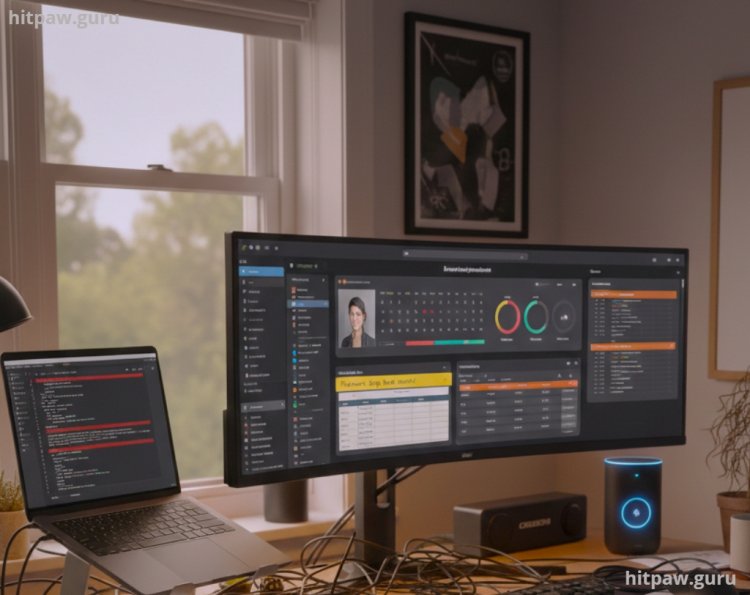
Before diving in, here’s what I personally used while building my digital skills:
Computer/Laptop: I used a mid range Windows laptop with 16GB RAM. It was enough for multitasking between online courses, tutorials, and real world projects.
Software Tools: Microsoft Excel, Google Workspace (Docs, Sheets, Slides), Canva, Trello, Notion, and a few beginner friendly coding platforms like Scratch and Python via Replit.
Online Courses: Platforms like Coursera, Udemy, LinkedIn Learning, and free tutorials on YouTube.
Books & PDFs: “Digital Skills for Beginners” and “Practical Excel Techniques.”
Notebook & Pen: Yes, I still took notes by hand. Writing things down helped me retain formulas and strategies better.
Step by Step Guide: How I Built My Digital Skills
Step 1: Assess Where You Stand
I started by listing everything I already knew. My self assessment showed me gaps I didn’t even know existed. For example:
I could create simple spreadsheets, but I didn’t know conditional formatting.
I could write a short paragraph in Word, but I didn’t know how to use styles and templates efficiently.
I knew basic Google Docs, but collaborating in real time was messy.
Pro Tip: Honestly assess yourself. Don’t overestimate your skills you’ll only waste time later.
Step 2: Set Clear Goals
I broke my goals into small, achievable milestones:
Learn essential Excel formulas in two weeks.
Master Google Workspace collaboration tools in a month.
Create at least three small projects that use multiple digital tools together.
Having clear goals helped me track progress and kept me motivated.
Step 3: Learn by Doing
Instead of just watching tutorials, I applied what I learned immediately. For example:
When learning Excel, I created a budget tracker for my personal finances.
For Canva, I designed social media posts for my small online store.
Using Trello and Notion, I organized a project with multiple tasks and deadlines.
I realized that hands on practice helped more than passive learning.
Step 4: Embrace Mistakes
Early on, I made plenty of mistakes. I accidentally deleted a client project spreadsheet because I didn’t know how version history worked.
What I Got Wrong the First Time:
I tried to learn too many tools at once. I jumped from Excel to coding to Canva in the same week, which was overwhelming.
How I Fixed It:
I focused on one tool at a time until I felt confident, then moved on. Small consistent steps worked better than cramming.
Step 5: Learn Shortcuts and Efficiency Hacks
After mastering the basics, I started learning shortcuts:
Excel: Keyboard shortcuts, pivot tables, quick formatting.
Google Docs/Sheets: Explore “Explore” feature, templates, and add ons.
Canva: Templates and batch design tips.
Efficiency boosts your confidence. Seeing tasks completed faster made me feel empowered.
Step 6: Build Mini Projects
I started small projects that combined multiple tools. For instance:
Project 1: Created a personal finance tracker using Google Sheets with charts and conditional formatting.
Project 2: Designed social media graphics using Canva and organized posting schedules in Trello.
Project 3: Built a study plan in Notion for learning Python basics.
Mini projects allowed me to apply skills in real scenarios, which is the fastest way to learn.
Step 7: Seek Feedback and Collaborate
I joined online communities and asked for feedback. Feedback helped me:
Identify gaps I didn’t notice.
Learn alternative techniques from others.
Gain confidence in sharing my work publicly.
Step 8: Track Progress
I created a simple learning journal in Google Sheets:
|
Date |
Skill Practiced |
Tools Used |
Notes/Improvements Needed |
Completed Projects |
|
Jan 10 |
Excel Formulas |
Excel |
Need to learn VLOOKUP |
Budget Tracker |
|
Jan 15 |
Canva Basics |
Canva |
Learn grid alignment |
Social Post |
This table helped me reflect and stay accountable.
Step 9: Build a Routine
I dedicated 1 hour daily to learning digital skills. Consistency mattered more than intensity. Over months, 1 hour daily added up to substantial expertise.
Pro Tip From My Experience:
Start small, but be consistent. Even 30 to 60 minutes daily is enough to build strong digital skills if you apply what you learn immediately.
Step 10: Apply Skills Professionally
Once I gained confidence, I used my skills professionally:
Streamlined office tasks using Excel templates.
Managed social media for a small client using Canva and Trello.
Automated repetitive tasks with simple scripts in Google Sheets.
Applying skills in real world scenarios accelerated my learning and improved retention.
Maintenance Table for Digital Skills
|
Task |
Frequency |
Notes |
|
Excel Practice |
Weekly |
Focus on formulas & pivot tables |
|
Canva Project Design |
Weekly |
Design 2 to 3 graphics per week |
|
Google Docs Collaboration |
Monthly |
Practice sharing & editing docs |
|
Project Review |
Monthly |
Assess what worked & what didn’t |
In Summary
If I could talk to my past self, I’d say:
Don’t try to learn everything at once. Focus and build step by step.
Apply what you learn immediately it sticks better than just reading or watching tutorials.
Don’t fear mistakes they’re the fastest way to learn.
Track your progress and celebrate small wins.
Consistency is more important than long, irregular learning sessions.
FAQs About Building Digital Skills
1. Why are digital skills so important today?
Digital skills help you work efficiently, communicate online, and use technology to solve problems. In nearly every field, from education to business, having strong digital skills can make a big difference in productivity and career opportunities.
2. Can beginners really learn digital skills online?
Absolutely. With structured online courses, tutorials, and practice projects, even complete beginners can gain confidence. I started with small tasks, like creating spreadsheets and using basic design tools, and gradually moved to more advanced tools.
3. How long does it take to become proficient?
It depends on your focus and practice. For basic skills, a few weeks of consistent practice can make a big difference. Advanced tools and software may take months, but breaking learning into small, manageable steps helps a lot.
4. Which digital skills should I start with first?
Start with the essentials: using office software, managing files, basic graphic design, and online collaboration tools. These give you a foundation that applies to most projects and jobs.
5. How can I practice digital skills without a formal course?
Hands on projects work best. I recommend creating small personal projects like managing a budget in a spreadsheet, designing a simple poster, or setting up a blog. Real experience helps you learn faster than just reading or watching tutorials.
6. How do I stay updated with new digital tools?
Technology changes fast, so follow blogs, YouTube channels, or online communities related to the tools you use. I make it a habit to try one new feature or tool each month it keeps me sharp and confident.
What's Your Reaction?