How Agentic AI Automated My Daily Life and Work
In 2026, AI agents manage my schedule, health, inbox, and smart home. Discover my real world AI tech stack, mistakes I made, costs, privacy tips, and how to stay human in an automated life.
Key Highlights: Living with AI in 2026
• The "Agentic" Shift: We’ve moved from asking AI questions to letting AI "agents" execute multi step tasks like booking travel or managing household budgets.
• Health as a Constant: Wearables now integrate with AI to predict illness days before symptoms appear, using real time biometric data.
• The Matter Protocol Win: Smart homes finally work across brands, meaning my Samsung fridge actually talks to my Apple lights without a "translator" app.
• Proactive Productivity: Tools like Motion and Reclaim don’t just show your schedule; they actively move meetings to protect your focus time based on your historical energy levels.
• Personalized Learning: AI "Tutors" now use your specific hobbies (like gaming or cooking) to explain complex physics or finance concepts.
Why I Stopped Fighting the "Robot" and Started Training It
I used to be the person who had fifteen different "Smart Life" apps on my phone, half of which never connected to my Wi-Fi. I’d walk into a dark room, shout at a voice assistant, and end up having to flip the manual switch anyway because the "server was unresponsive." It was frustrating, clunky, and honestly, didn't feel very smart.
The problem wasn't the AI; it was the integration. I was treating AI like a series of fancy remote controls rather than a cohesive ecosystem. In early 2025, I decided to overhaul my entire daily workflow from how I wake up to how I manage my freelance business using the latest "Agentic" AI tools. This blog isn't a theoretical look at the future; it’s a breakdown of the exact system I built over the last year that finally gave me back four hours of my life every single day.
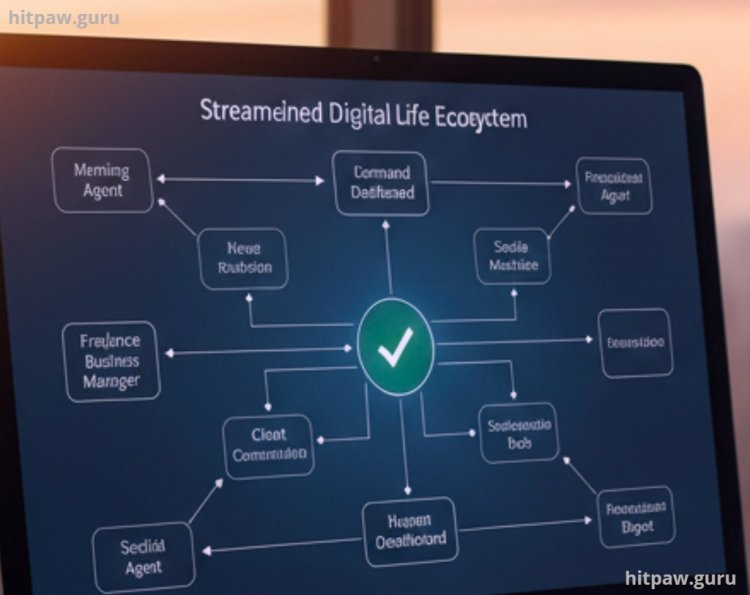
My 2026 Daily AI Tech Stack
To make this work, I had to stop buying "cheap" off brand gadgets and stick to a specific set of tools that support the Matter protocol and OpenAI/Claude API integrations.
Hardware & Infrastructure:
• Home Hub: Apple HomePod 4 (acts as the Matter Controller).
• Smart Switches: Lutron Caseta (I used these because they don't rely on Wi-Fi; they use "Clear Connect" which is rock solid).
• Wearable: Whoop 5.0 (Essential for the health to AI data pipeline).
• Router: ASUS RT-AX88U (Wi-Fi 6 is mandatory when you have 40+ connected devices).
Software Agents:
• Motion: For AI driven calendar management.
• Claude 3.5/4: For deep work research and drafting.
• Perplexity Pro: My primary "search" engine (I haven't clicked a blue link in months).
• Zapier Central: The "brain" that connects my emails to my task manager.
How I Built My "Autonomous Life" System: A Step by Step Guide
Step 1: The "Deep Work" Shield
I used to spend the first hour of my morning just "organizing" work. Now, I let Motion do it.
• What I did: I synced my Google Calendar and my Notion task board to Motion.
• The Result: If a client sends me a 2:00 PM meeting invite, Motion automatically scans my deadlines. If that meeting puts my 5:00 PM deadline at risk, it flags the conflict and suggests a 3:00 PM slot instead. It "defends" my time so I don't have to be the bad guy.
Step 2: The Biometric Morning
My house now "wakes up" based on my sleep quality, not a static time.
• What I did: I connected my Whoop data to my smart home via a Zapier bridge.
• The Result: If my "Recovery Score" is below 30% (meaning I’m sick or exhausted), my AI agent automatically pushes my 8:00 AM alarm to 9:00 AM and sends a pre written Slack message to my team saying I’m starting late.
Step 3: The "Zero Inbox" Agent
I used a tool called OpenClaw (an agentic layer atop Claude) to handle the "noise" in my inbox.
• What I did: I gave the agent permission to "Read/Write" but restricted "Delete" (a lesson I learned the hard way see below).
• The Result: It categorizes my mail into Action Required, FYI Only, and Newsletter. Every Friday, it gives me a 3 paragraph summary of every newsletter I received so I don't have to read all 40 of them.
What I Got Wrong the First Time (The "Failure" Section)
When I first started, I tried to "Automate Everything" on Day 1. I gave an AI agent full access to my Gmail and told it to "Archive anything that isn't from a human."
The Disaster: It archived a flight confirmation from Delta (because it was an automated sender) and a crucial tax document from the IRS. I missed my flight to a conference in Vegas because the "Smart Agent" thought it was spam.
The Fix: I implemented the "Human in the Loop" rule. Now, my agents can draft and sort, but they cannot delete or send without a one tap approval from me. I also set up "Keyword Safeguards" (e.g., if a message contains "Invoice," "Flight," or "Confirmation," it is pinned to the top regardless of the sender).
Real Feedback: What My Family Thinks
It wasn't all sunshine. My partner initially hated the "Smart Home."
"I just want to turn on the kitchen light without having to explain my 'intent' to a speaker," she told me during the first week.
I realized I had over automated. I had removed physical switches and replaced them with sensors.
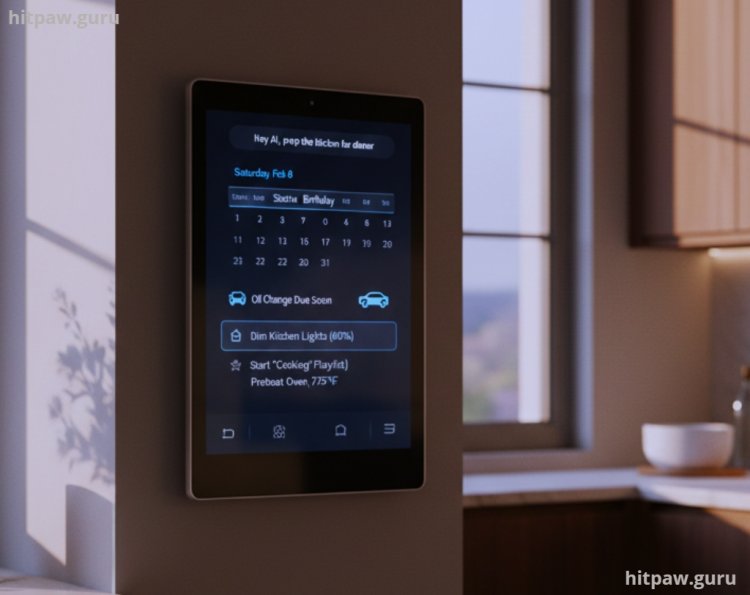
The Lesson: AI should be an addition, not a replacement. I re installed physical smart switches (Lutron). Now, we have the best of both worlds: she can hit the button, and I can say, "Hey AI, prep the kitchen for dinner," which dims the lights and starts the "Cooking" playlist.
Final Considerations: The Human Element
The biggest change in 2026 isn't the tech itself; it's the shift in our mental load. I no longer worry about "forgetting" things. My AI knows my car needs an oil change, knows my sister’s birthday is coming up, and knows that I work best between 10:00 AM and 1:00 PM.
However, the trap is becoming too reliant. I still make it a point to go "Analog" on Sundays no agents, no prompts, just me and a book. AI is a fantastic servant, but it makes for a terrible master. Use it to automate the "robotic" parts of your life so you can spend more time being human.
Frequently Asked Questions
1. Is my data safe with these AI agents?
In 2026, the best practice is to use Local LLMs for sensitive data or ensure your provider uses "Enterprise Privacy" (like Claude Pro or ChatGPT Team), which prevents your data from being used for training. Always enable Two Factor Authentication (2FA) on your central "Hub" account.
2. Do I need to know how to code to set this up?
No. Most tools now use "Natural Language Programming." You simply tell the tool, "When I get an email about a new invoice, add it to my 'Expenses' sheet in Google Sheets," and the AI builds the automation for you.
3. How much does a "Smart Life" setup cost per month?
A high end setup (Motion, ChatGPT Plus, Perplexity, and Zapier) usually runs about $80 to $120 per month. It’s an investment, but if it saves you 20 hours a month, the ROI is massive.
4. What happens if the internet goes down?
This is why I use the Matter protocol. Matter allows devices to talk to each other over your local network (LAN) even if the outside internet is dead. Your "Morning Scene" will still work; you just won't be able to ask the cloud based AI new questions.
5. Which AI is better for daily tasks: ChatGPT or Claude?
As of February 2026, Claude is generally better for long form reasoning and "Agentic" tasks because of its larger context window and better adherence to complex instructions. ChatGPT remains superior for quick creative brainstorming and voice interaction.
What's Your Reaction?