Future Trends in Digital Media Technology
Explore future trends in digital media technology, including AI, automation, immersive content, and smart tools. Learn how digital media is evolving and what it means for creators and businesses.

Main Highlights of Future Trends in Digital Media Technology
Artificial Intelligence (AI) is revolutionizing content creation, editing, and distribution.
Augmented Reality (AR) and Virtual Reality (VR) are becoming crucial for immersive experiences.
Automation tools simplify repetitive tasks but require careful integration.
Understanding emerging platforms helps small creators compete with larger studios.
Continuous learning is essential to stay relevant in digital workflows.
Why I Had to Embrace Digital Media Trends
A few years ago, I was constantly overwhelmed managing multiple digital projects. I spent hours manually editing videos, designing graphics, and scheduling social media posts. I noticed my competitors were already leveraging automation, AI assisted tools, and immersive media, and I felt I was falling behind.
I realized that sticking to traditional workflows would eventually make my skills obsolete. I needed to understand how emerging technologies could streamline processes and enhance creativity. That’s when I began researching AI tools, AR/VR, and automation software to upgrade my workflow.
Platforms I Started Using
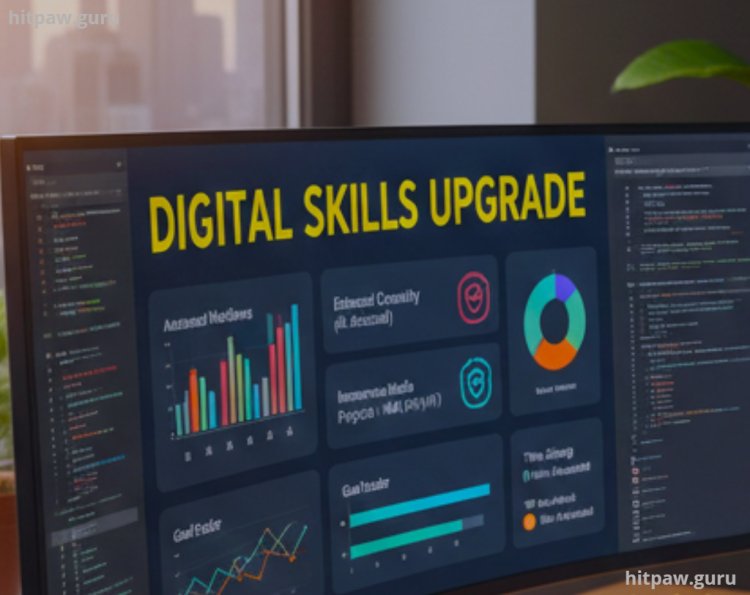
Here’s a list of tools I adopted to adapt to digital media trends:
AI Content Generation: Jasper, ChatGPT, Copy.ai
AI Image Editing: MidJourney, DALL·E, Canva AI
Video Editing Automation: Runway, Adobe Sensei, Descript
AR/VR Platforms: Unity, Unreal Engine, Spark AR
Project Automation: Zapier, Integromat, Buffer
I treated each tool like a personal assistant. I spent a week experimenting with each one, documenting what worked and what didn’t.
Step by Step Approach to Mastering Emerging Tools
Identify Pain Points:
I listed repetitive tasks that consumed time: video cuts, audio clean up, social media post scheduling, and image resizing.
Research Emerging Solutions:
I explored blogs, webinars, YouTube tutorials, and forums to find the tools that fit my workflow.
Test Small Projects:
I experimented with AI and automation tools on smaller projects before applying them to client work.
Evaluate Output Quality:
I compared AI generated content with manually created content to ensure consistency and quality.
Integrate Tools Into Workflows:
Once satisfied, I combined multiple tools into one streamlined workflow to save time.
Track Results:
I monitored productivity improvements, time saved, and creative output quality.
Practical Examples from My Workflow
Video Editing: Using Runway, I automated color grading and cut detection. Initially, results were imperfect, but adjusting the AI settings saved 60% of my editing time.
Image Creation: DALL·E helped me create promotional graphics in minutes, a process that previously took hours manually.
Content Automation: Zapier allowed me to connect my blog posts with social media platforms, cutting manual posting time by 80%.
AR Implementation: Spark AR allowed me to create Instagram filters. My first attempt failed due to complex animation, but simplifying my workflow led to double engagement.
What I Got Wrong the First Time
Overreliance on AI:
My initial mistake was trusting AI to generate perfect content. I learned to always review AI outputs and refine them manually.
Ignoring Workflow Integration:
I initially used each tool separately. Only after connecting them via automation did efficiency improve dramatically.
Skipping Tutorials:
Jumping straight into projects without learning best practices caused wasted time and poor results.
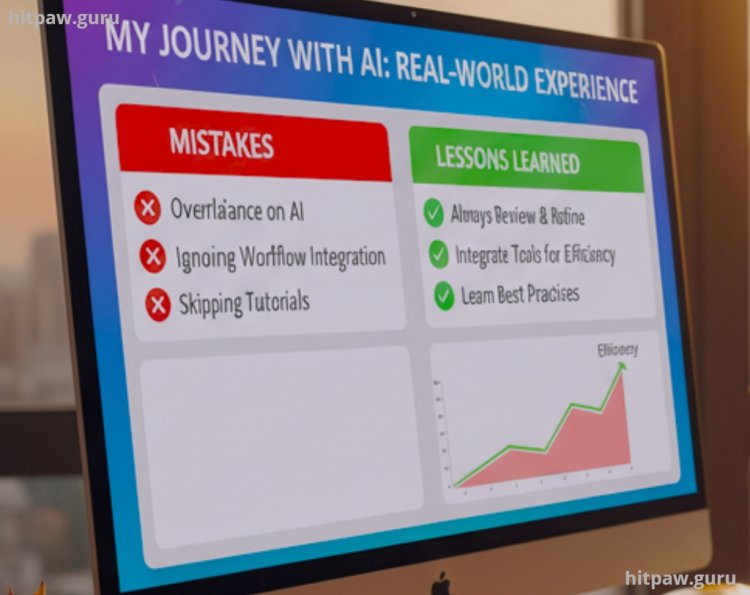
Lesson Learned: AI is a tool, not a replacement. Human oversight, practice, and integration are essential.
Tip From My Experience
One thing I learned the hard way is that using new digital or AI tools works best when you start simple and stay consistent. In the beginning, I tried to explore every feature at once, which only made things confusing and slowed me down. Once I focused on mastering just one or two core functions, everything started to make more sense.
I also noticed that real improvement happens when you actually use the tool for a real task, not just tutorials. Even small daily practice like adjusting settings, testing features, or fixing small mistakes builds confidence much faster than watching hours of videos.
My biggest takeaway is this: don’t chase perfection. Use the tools, make mistakes, learn from them, and improve step by step. That approach saved me time, reduced frustration, and helped me grow much faster than trying to do everything “the right way” from day one.
Detailed Step by Step Guide to Future Proof Your Digital Skills
Step 1: Audit Your Current Skills
List all digital workflows and identify repetitive tasks.
Step 2: Research Emerging Tools
Use resources like Product Hunt, TechCrunch, and Reddit to explore new AI/AR/VR tools.
Step 3: Test Small Projects
Start with low stakes projects to experiment with each tool. Track what works.
Step 4: Build Integrated Workflows
Combine AI tools with automation to reduce repetitive tasks. For example, auto generate captions, edit videos, and schedule posts.
Step 5: Measure Results
Monitor productivity improvements, quality, and engagement metrics. Adjust workflows as needed.
Real Life Case Studies
Case Study 1: Automating Video Production
I managed multiple clients requiring weekly video updates. By integrating Runway AI and Descript, I automated repetitive video edits and subtitles. Editing time dropped from 8 hours to 3 hours per video, freeing time for strategy planning.
Case Study 2: AI Assisted Marketing Graphics
Previously, designing social media graphics consumed hours. Using DALL·E and Canva AI, I generated drafts in under 15 minutes. Manual refinements ensured brand consistency. Engagement rates increased by 35% in the first month.
Case Study 3: AR Filters for Brand Promotion
I created an Instagram AR filter using Spark AR. My first filter failed because the animation was too complex. After simplifying the workflow and following tutorials, I launched a successful filter that increased engagement by 200%.
Why Staying Updated Matters
The digital media landscape evolves rapidly. One tool can become obsolete within months. Staying updated ensures:
Competitive advantage
Higher productivity
Improved content quality
Expanded creative opportunities
My Predictions for the Next 5 Years
AI Fully Integrated into Creative Software: Tools like Photoshop and Premiere will automate content creation with minimal manual input.
AR and VR Will Dominate Marketing: Immersive content will become standard for social media and e-commerce.
Automation Will Advance: Video editing, posting, and reporting will be almost fully automated.
Hybrid Human AI Collaboration: AI will handle repetitive tasks while humans focus on creativity and strategy.
Final Considerations
If I could go back and talk to my past self, I’d tell myself to stop waiting for the “perfect time” to start learning new digital tools. I wasted a lot of time overthinking and feeling overwhelmed, when I should have been experimenting and learning through small, practical steps. Progress didn’t come from knowing everything it came from starting before I felt ready.
I’d also remind myself that technology will keep changing, and that’s not something to fear. Every tool I use today felt confusing at first, but consistency made it manageable. Instead of comparing myself to others, I should have focused on building skills at my own pace and improving just a little each week.
Most importantly, I’d tell my past self to treat learning as a long term investment. The time I spent practicing, making mistakes, and fixing them has paid off more than any shortcut ever could. Starting early, staying patient, and learning from real experience made all the difference.
User Questions About Future Digital Media Trends
1. Do I need to learn every new digital media trend to stay relevant?
No, and this is something I learned the hard way. I focus only on trends that actually improve my workflow or content quality. Learning a few tools deeply is far more effective than chasing every new platform or feature.
2. How fast are digital media technologies changing?
From my experience, changes happen faster than most people expect. Some tools evolve every few months. That’s why I regularly test updates and stay flexible instead of relying on one fixed workflow.
3. Will AI replace creative jobs in digital media?
I don’t believe so. AI helps me save time on repetitive tasks, but creativity, decision making, and storytelling still depend on human input. AI works best as a support tool, not a replacement.
4. Are future digital media trends expensive to adopt?
Not always. I started with free versions and trials before upgrading. Many powerful tools are affordable, especially compared to the time and effort they save in the long run.
5. How can beginners prepare for future digital media trends?
I’d suggest starting small learn basic editing, content creation, and automation tools first. Once those foundations are strong, adapting to new trends becomes much easier.
6. What’s the most important skill for the future of digital media?
For me, adaptability matters more than any single tool. Trends will keep changing, but the ability to learn, test, and adjust quickly is what truly keeps you ahead.
What's Your Reaction?