Myths and Facts About Artificial Intelligence
Discover the truth about AI with real examples from my experience. Learn common myths, practical facts, and actionable tips to understand artificial intelligence effectively.

Why I Decided to Explore AI Myths and Facts
When I first explored AI, I felt a mix of excitement and confusion. Articles, videos, and social media posts were everywhere, talking about AI “replacing humans” or “doing everything automatically.” I thought AI would magically solve my work problems and make my projects perfect.
But reality was very different. After spending months testing AI tools, I discovered that many of the common beliefs about AI are myths, while some are true facts that beginners must understand to use AI effectively.
In this guide, I’ll share my journey, practical lessons, and step by step tips for beginners who want to navigate AI wisely. My goal is to separate hype from reality, help you avoid mistakes, and show how to make AI genuinely work for you.

Main Highlights About AI Myths and Facts
AI is a tool to assist humans, not replace them.
Understanding AI myths prevents wasted time and effort.
Hands on experimentation is essential to learn AI effectively.
Proper prompts, settings, and workflows make AI outputs useful.
Not all AI tools are expensive; beginners can start with free or affordable options.
My Personal Journey With AI
When I first opened an AI tool to generate images, I thought I’d get instant, perfect results. I typed vague prompts like “creative tech image,” expecting magic.
Instead, the AI generated images that were generic and off topic. This moment was a reality check. I realized AI doesn’t think like humans it interprets patterns from its training data. My first lesson: AI is powerful, but you must guide it carefully.
Over the next few months, I experimented with AI in different areas: content writing, image generation, and video editing. Each experience taught me something unique about AI’s capabilities, limitations, and best practices.
Common Myths About AI
Myth 1: AI Can Replace Human Creativity
I believed AI could fully replace creative roles like writers, designers, or marketers.
Reality: AI can assist creativity but cannot replace it. For example, when I used AI to generate blog images, it gave me multiple options in seconds. But the images often needed adjustments in color, composition, or context. The human touch was still essential.
Myth 2: AI Understands Context Like Humans
Many people assume AI understands your intentions exactly.
Reality: AI predicts outputs based on patterns in its data. When I asked AI to “write a story about gardening in space,” it produced a mix of unrelated ideas. I had to carefully craft prompts and refine outputs. The lesson: AI does not “think”; it responds to instructions, so clarity matters.
Myth 3: AI Can Solve Everything Automatically
I once tried an AI video editing tool expecting it to correct colors, remove noise, and add effects all at once.
Reality: AI can speed up tasks but cannot fully replace human decisions. I learned that manual tweaks and understanding workflow are necessary. AI suggested edits, but I had to select which ones actually improved the final product.
Myth 4: AI is Too Expensive and Only for Experts
Initially, I thought AI tools required advanced skills and costly hardware.
Reality: Many beginner friendly AI tools are cloud based and affordable. I started using AI on my standard laptop, without special setups. The key was experimenting and learning gradually.
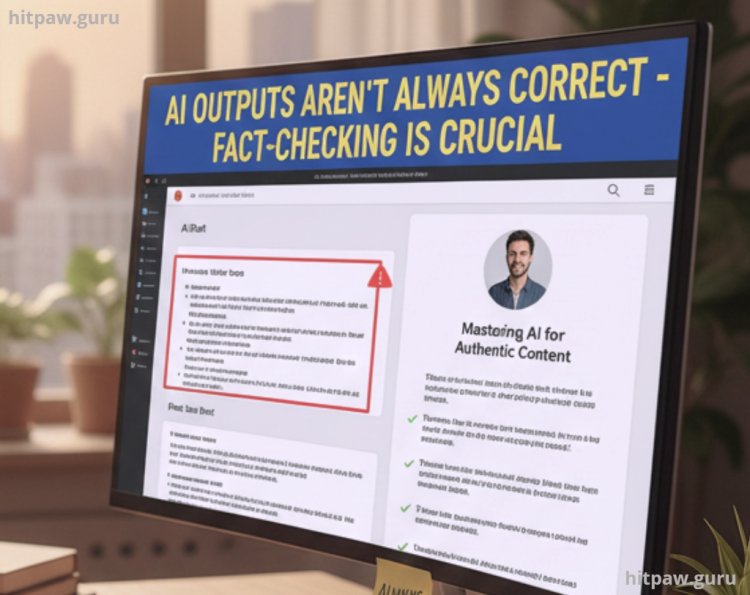
Myth 5: AI Outputs Are Always Correct
I once trusted AI generated content blindly, thinking it was flawless.
Reality: AI can be inaccurate or outdated. Always verify outputs, especially for factual or professional content. For instance, I learned to cross check AI written blog content before publishing.
Facts About AI That Beginners Should Know
Fact 1: AI Can Boost Productivity
Once I understood how to guide AI properly, it became an invaluable assistant. For example:
Writing drafts faster
Generating design ideas
Editing videos efficiently
AI saved me hours of repetitive work, letting me focus on high level decisions and creativity.
Fact 2: AI Needs Human Input
AI doesn’t replace expertise; it augments it. Precise prompts and proper guidance yield better outcomes. I learned that writing clear prompts is just as important as understanding the AI tool itself.
Fact 3: AI Can Learn From Feedback
Many AI tools improve based on your corrections and preferences. For example, the AI art tool I used refined suggestions based on repeated feedback, giving more accurate results over time.
Fact 4: AI Has Limitations
AI cannot generate emotions, truly understand ethical contexts, or think critically. I realized that relying on AI for judgment heavy tasks can lead to mistakes. Human supervision is essential.
Practical Examples From My Experience
Image Generation: I initially typed vague prompts for AI generated visuals. Results were generic. After learning to refine prompts, outputs became highly relevant and professional.
Content Writing: AI helped me draft blog posts quickly. However, I had to add personal stories, insights, and corrections to make content readable and engaging.
Video Editing: AI tools accelerated noise removal and color correction. But over relying on AI reduced video quality, so I manually adjusted settings to maintain clarity.
AI Assisted Research: AI suggested relevant articles and summaries. I found that combining AI insights with personal research produced the best results.
Materials I Used
AI Tools: ChatGPT (writing), MidJourney (images), Runway (video editing)
Hardware: Standard laptop, stable internet connection
Skills Learned: Prompt writing, workflow integration, content editing
Step by Step Guide to Understanding AI Myths and Facts
Pick One AI Tool to Start: Avoid overwhelming yourself with multiple tools.
Experiment With Prompts: Test vague and precise instructions to see the difference.
Document Results: Record outputs and adjustments to understand patterns.
Seek Community Feedback: Join forums and watch tutorials for practical insights.
Refine Your Approach: Adjust prompts and workflows based on results.
Combine AI With Human Expertise: Always review outputs and add personal input.
Tip From My Experience
When using AI tools, I learned that starting small works best. Don’t try to master everything at once. Pick one AI tool, explore its main features, and practice with real projects. I found that experimenting with small tasks first helped me avoid frustration and understand how AI interprets instructions.
Also, always review AI outputs critically. AI can generate impressive results, but errors or irrelevant suggestions happen. Adding your own adjustments and feedback makes the final output much more reliable.
Lastly, document your learning process. I kept notes on which prompts worked, which didn’t, and how I fixed mistakes. Over time, this created a personal reference guide that saved hours of trial and error.
What I Got Wrong the First Time
When I first tried AI for writing a blog post, I assumed AI output was ready to publish. The content lacked tone, structure, and relatability.
How I Fixed It: I learned to edit AI generated text, add personal examples, and refine the flow. This approach gave me a human centered blog that was informative, engaging, and ready for publication.

Conclusion
If I could go back, I would say:
Take time to experiment. Don’t expect magic.
Learn prompt writing carefully; vague instructions waste time.
Verify all outputs; AI can be wrong.
Combine AI with your skills; it’s an assistant, not a replacement.
Be patient. Mastery comes with practice and observation.
Following these lessons allows you to leverage AI effectively, avoid common pitfalls, and make AI a real productivity booster in your work.
Popular Queries About AI Myths and Facts
1. Is AI smarter than humans?
No. AI is fast at processing data and recognizing patterns, but it cannot think critically, feel emotions, or make judgments like humans.
2. Can AI replace my job completely?
Not entirely. AI can handle repetitive tasks or data analysis, but jobs requiring creativity, empathy, or complex decision making still need humans.
3. Are AI tools expensive to use?
Not always. There are many free or affordable AI tools for beginners, and cloud based AI eliminates the need for high end hardware.
4. How can I make AI outputs accurate and useful?
Always provide clear instructions (prompts) and review outputs carefully. AI works best when combined with human input and editing.
5. Can beginners learn AI quickly?
Yes, but it takes practice. Start with one tool, experiment with prompts, and gradually explore more advanced features.
6. Does AI understand context like a human?
No. AI interprets patterns in data but doesn’t truly understand meaning or nuance. Clear instructions and feedback are key to getting useful results.
7. Should I rely on AI for all tasks?
No. AI is a supportive tool, not a replacement. It’s most effective for boosting productivity, generating ideas, and assisting tasks not making final decisions alone.
What's Your Reaction?