How to Choose the Right AI Tools
I share my real 2026 framework for choosing AI tools agentic vs assistive AI, privacy checks, integrations, and avoiding SaaS overload.

Key Points Regarding AI Tool Selection in 2026
• Identify the "Workflow Gap": The best AI tool isn't the one with the most features, but the one that plugs a specific hole in your existing process (e.g., data extraction vs. creative drafting).
• Agentic vs. Assistive: In 2026, the market has split. Assistive AI (like ChatGPT) helps you do a task; Agentic AI (like Gumloop or Zapier Agents) does the task for you across multiple apps.
• The "Privacy First" Filter: With the 2026 AI Governance Acts in full swing, checking for SOC 2 Type II compliance and "Data Opt Out" training options is no longer optional for business tools.
• Avoid "Tool Fatigue": A lean stack of three specialized tools (Foundation, Automation, Creative) consistently outperforms a messy folder of 20 different subscriptions.
• The Integration Benchmark: If a tool doesn't have a native connection to your CRM (HubSpot, Salesforce) or Communication hub (Slack, Teams), it will eventually become a "data silo" that creates more work than it saves.
My "SaaS Bloat" Crisis: Why I Had to Rebuild My AI Stack
A year ago, I was "AI rich" but "time poor." I had 14 different AI subscriptions, ranging from niche video editors to specialized research bots. I was spending $600 a month and ironically spending three hours a week just moving data between these tools. I was like a gardener who bought every specialized trowel and pruner on the market but didn't have a wheelbarrow to move the soil.
The "pain" hit home when I realized my "Social Media AI" was using a completely different brand voice than my "Customer Support AI." To my clients, I looked like a company with a split personality. I was killing my brand because I chose tools based on "hype" rather than "infrastructure."
I set out on a project to "Consolidate and Orchestrate." I audited every tool, canceled 11 subscriptions, and built a unified "Digital Nervous System." This guide is the exact framework I used to stop chasing the "next big thing" and start choosing the "right thing."

Tools for Your AI Audit
To choose the right tools, you need to look under the hood. Here is the "Evaluation Kit" I used to build my current high performance stack:
• The Benchmarking Engine: Claude 4.0 (I use this as my "Evaluator." I feed it the output of other tools to check for logic, tone, and accuracy).
• The Logic Mapper: LucidChart (Essential for drawing out your workflow before you buy a tool. If you can't draw the process, you shouldn't automate it).
• The Connector: Make.com (I chose this for its visual "Webhooks" and "HTTP modules," which allowed me to test if a tool's API was actually stable).
• The Fact Checker: Perplexity Pro (I use this to verify the claims made by AI vendors in their whitepapers).
• The Security Checklist: A simple spreadsheet tracking GDPR, SOC 2, and HIPAA compliance for every tool in the stack.
Step by Step Guide: How I Selected My 2026 AI Stack
Step 1: The "Pain to Process" Mapping
I didn't start by looking at AI features. I started by looking at my calendar.
• The Action: I identified that "Client Reporting" took 4 hours a week.
• The Goal: Find a tool that doesn't just "write" the report, but pulls data from my QuickBooks and Google Ads automatically.
Step 2: Testing the "Agentic" Capability
I stopped looking for chatbots and started looking for "Agents."
• The Test: I gave three tools (ChatGPT, Gemini, and a specialized agent tool called Gumloop) the same multi step task: "Find the top 3 performing LinkedIn posts from last month, summarize the comments, and draft a follow up strategy in my Notion."
• The Result: The chatbots failed because they couldn't "see" my Notion. Gumloop won because it had a "Browser Agent" that could navigate my specific accounts.
Step 3: The "Brand Voice" Calibration
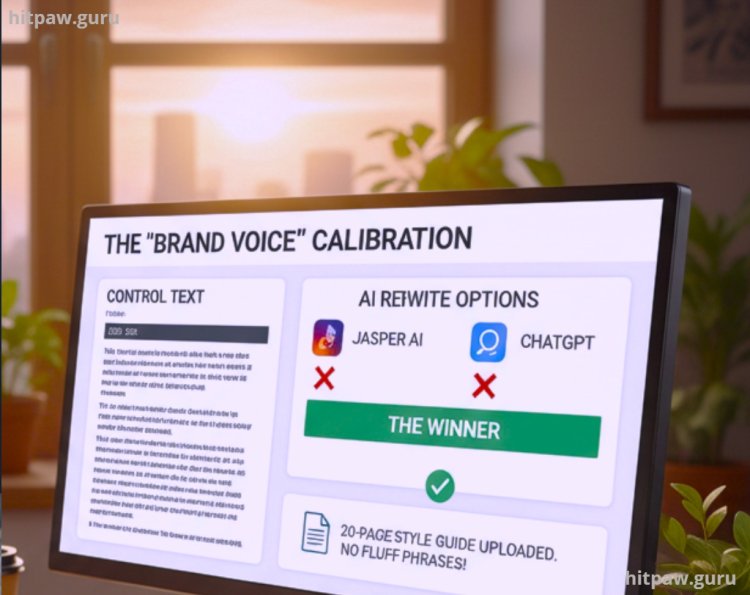
I used a specific "Control Text" a blog post I wrote manually in 2022 and asked various tools to "Rewrite this in the same style."
• The Winner: Jasper AI. While others were cheaper, Jasper allowed me to upload a 20 page "Style Guide" that ensured the AI didn't use fluff phrases I hate.
Step 4: Security and "Data Sovereignty" Audit
I checked the "Settings" menu of every finalist.
• The Dealbreaker: If the tool didn't have an explicit toggle to "Exclude my data from model training," I deleted it. In 2026, your proprietary data is your only real moat; don't give it away for free.
What I Got Wrong the First Time
I fell for the "All in One" trap. I signed up for a massive platform that promised to handle my CRM, my Email, my AI Writing, and my Graphic Design all in one dashboard.
The Failure: Because the tool tried to do everything, it was mediocre at everything. The AI writer was generic, and the CRM integration was buggy. When the platform had a 4 hour outage, my entire business went dark. I was a "single point of failure" victim.
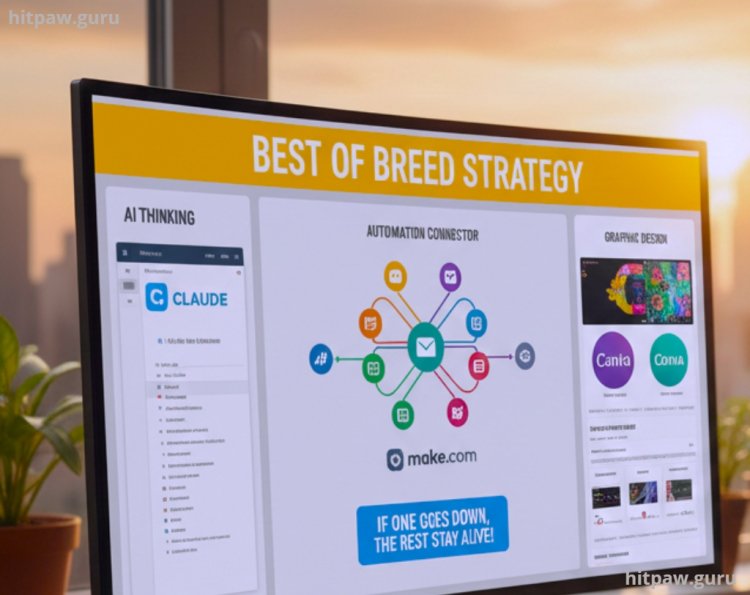
The Fix: I moved to a "Best of Breed" strategy. I now use Claude for thinking, Make.com for connecting, and Canva for design. If one tool goes down, the rest of my business stays alive. I learned that "Specialized" beats "General" every single time when it comes to ROI.
Final Advice: Choose for the "Boring" Work
The most "exciting" AI tools the ones that make flashy videos or write poetry usually provide the least business value. The "Right" AI tool for you is likely the one that does the boring, invisible work: cleaning your data, summarizing your meetings, or filing your invoices.
Don't buy a tool because it's "cool." Buy it because it replaces a task you've hated doing for the last three years. If the tool saves you 5 hours a week of misery, it’s the right one.
Frequently Asked Questions
1. Is it better to pay for one "Pro" account or five "Free" accounts?
In 2026, One Pro account is always better. Free accounts usually have lower security standards, slower "Legacy" models, and no API access. Pay for the "Pro" version of your Foundation Tool (like Claude or ChatGPT) first; the extra $20/month pays for itself in sheer speed and privacy.
2. How do I know if an AI tool is "hallucinating" its features?
Always look for a "Try Before You Buy" or a sandbox environment. If a vendor won't let you run your own data through their system during a demo, they are hiding something. Real tools in 2026 provide transparent "Traceability Logs" showing how the AI reached a conclusion.
3. What is the difference between "Open Source" and "Closed Source" tools?
Closed Source (like OpenAI or Anthropic) is easier to use but keeps your data in their ecosystem. Open Source (like Llama 3 running on your own server) gives you 100% data sovereignty but requires technical skill to maintain. For 90% of small businesses, a "Privacy Enabled" Closed Source tool is the sweet spot.
4. How often should I re-evaluate my AI stack?
Every six months. The gap between models is closing fast. A tool that was the "Best in Class" in January might be outperformed by a free plugin in July. Use the Maintenance Table above to keep your stack lean.
5. Do I need to learn to code to use these "Right" tools?
No. We are firmly in the "Natural Language" era. The "Right" tool for a modern worker is one where the "Interface" is just a conversation. If you have to spend two weeks in a coding bootcamp to use an AI tool, it's the wrong tool for your needs.
What's Your Reaction?