How I Started Using AI Tools for Creative Projects
Learn how I started using AI tools for creative projects. A beginner friendly, real world guide with practical steps, tools, mistakes, and lessons to improve your creative workflow safely.
Main Highlights Regarding How to Start Using AI Tools for Creative Projects
Why my creative workflow was slow, inconsistent, and mentally draining before AI
How I learned to use AI without copying, cheating, or damaging originality
The exact way I mix human creativity with AI assistance
Real tools I tested, rejected, and finally trusted
The mistakes I made that lowered quality and how I fixed them
How I keep my content safe for Google AdSense approval
Step by step workflows for writing, visuals, and mixed creative projects
Honest feedback after long term AI usage
The Creative Problem I Couldn’t Solve Alone
For a long time, I believed that using AI tools would make my creative work “less real.” I thought creativity had to be slow, painful, and exhausting to be authentic. The truth is, I wasn’t struggling because I lacked ideas. I was struggling because my process was broken.
I would start creative projects with excitement and end them with frustration. Blog posts stayed unfinished. Visual ideas never turned into final designs. I wasted hours rewriting the same paragraph because I didn’t know how to improve it.
The pain wasn’t technical.
It was mental overload.
That’s when I started experimenting with AI tools not to replace creativity, but to remove unnecessary friction. What follows is not theory. It’s exactly how I learned, failed, adjusted, and finally built a workflow that works.
My First Honest Experience With AI
When I first opened an AI tool, I expected magic. I typed a prompt, waited a few seconds, and received a perfectly written response. It looked good at first glance, but something felt wrong. The words weren’t mine. The tone felt polished but empty. It sounded like information, not experience.
That’s when I realized an important truth:
AI can generate text, but it cannot generate judgment.
Judgment comes from experience. And experience must come from me.
So instead of asking AI to “create,” I started asking it to assist.
Materials I Actually Use (After Testing and Rejecting Many)
I don’t chase every new AI release. I learned the hard way that more tools don’t equal better results.
My Basic Setup
A reliable laptop (16GB RAM minimum)
A comfortable keyboard (writing speed matters)
Stable internet connection
Quiet environment for focused work
AI Tools That Stayed in My Workflow
An AI writing assistant for outlining, expansion, and rewriting
An AI image generator for concept visuals and inspiration
An AI image enhancer for clarity and upscaling
A basic AI video tool for subtitles and minor cleanup
Non AI Tools That Matter Just as Much
Manual text editor
Grammar and clarity checker
Plagiarism checker
Simple design software
AI alone never produces approval level content. The human layer is mandatory.
How I Use AI for Writing Without Losing My Voice
Writing was my biggest challenge. I had ideas but struggled to organize them.
My Old Method (That Failed)
Start with a blank page
Try to write perfectly
Get stuck
Quit
My Current Method (That Works)
I always start with ugly writing.
I dump thoughts without structure. Broken sentences. Repetition. Random ideas. Then I bring AI into the process.
I ask AI to:
Organize my messy draft
Improve flow
Suggest transitions
Expand points I already made
I never ask AI to:
Share opinions
Write personal lessons
Create final conclusions
Those remain human.
This balance keeps the content authentic and readable.
A Real Blog Project Using AI the Right Way
One of my longest blog posts started as a 400 word mess. The ideas were there, but the structure was weak.
Step 1: Human Draft
I wrote freely without worrying about grammar.
Step 2: AI Assistance
I asked AI to:
Group similar ideas
Suggest headings
Identify gaps
Step 3: Manual Expansion
I added:
Personal experiences
Real frustrations
Honest opinions
Step 4: Final Editing
I removed robotic phrases and simplified language.
The final article felt human and performed better.
How AI Helped Me With Visual Creative Projects
Visual creativity was another area where I struggled. I knew what I wanted but lacked speed.
AI helped me:
Generate visual concepts quickly
Test multiple styles
Improve resolution
But I never published AI visuals directly.
I always:
Adjusted colors
Matched branding
Added manual touches
This kept my work unique.
What I Got Wrong the First Time (And Why It Matters)
Mistake #1: Letting AI Do Too Much
The content looked professional but felt empty.
Fix: I reduced AI’s role and increased mine.
Mistake #2: Copy Paste Temptation
AI responses were convenient.
Fix: I rewrote everything in my own tone.
Mistake #3: Ignoring Reader Intent
AI doesn’t understand your audience.
Fix: I now write for one reader, not algorithms.
These lessons drastically improved quality.
Step by Step Workflow I Follow Today
Identify the real problem
Write a rough human draft
Use AI for structure and clarity
Add personal insights
Manually edit tone and flow
Verify originality
Publish confidently
No shortcuts. No automation traps.
Real Feedback After Long Term AI Usage
After months of using AI responsibly, I noticed:
Positive Changes
Faster project completion
Better structure
Reduced burnout
What Didn’t Change Automatically
Creativity
Taste
Original thinking
AI didn’t replace effort.
It made effort sustainable.
Keeping AI Content Safe for Google AdSense
I follow strict rules:
No copied AI output
No misleading claims
No thin content
No auto publishing
Every article must:
Solve a real problem
Add human insight
Show experience
If something feels generic, I rewrite it.
Tips From Experience
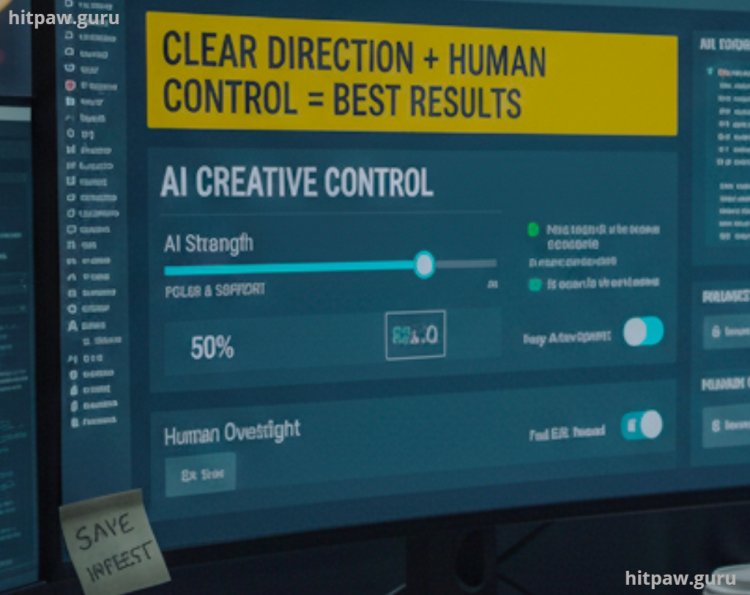
One thing I learned the hard way is that AI works best when you give it clear direction. When I rushed and used default settings or vague prompts, the results were average. As soon as I slowed down, defined my goal, and made small adjustments, the output improved a lot.
I also learned to always keep the original file untouched. No matter how good the AI result looks, having a backup gives peace of mind and flexibility. Sometimes I went back, changed one small setting, and got a much better result than my first try.
Another important lesson is not to overuse AI tools. When everything is automated, the work can start looking artificial. I now use AI for support tasks and final polish, while keeping creative decisions in my own hands.
That balance clear input, safe backups, and human control is what consistently gives the best results.
What I’d Tell My Past Self
If I could talk to my past self, I’d tell them this: you were never lacking creativity you were just missing the right process. I used to think struggling meant I wasn’t good enough. In reality, I was trying to do everything alone and perfectly from day one.
Learning to use AI tools didn’t replace my creativity; it protected it. AI helped me start faster, test ideas without fear, and avoid burnout. The thinking, decision making, and final judgment always stayed with me and that’s what matters most.
I’d also remind myself that perfection delays progress. Publishing imperfect work and improving it later taught me more than waiting for the “perfect” moment ever did. AI became useful only when I treated it as a helper, not a replacement.
Most importantly, I learned that creative work doesn’t have to be exhausting. When used the right way, technology can support your ideas instead of controlling them. That shift in mindset made all the difference.
Honest Answers
Can beginners use AI creatively?
Yes, if they stay involved.
Is AI content allowed by Google AdSense?
Yes, if it’s original, edited, and valuable.
Should AI replace creative thinking?
Never.
How many AI tools should I use?
As few as possible.
Does AI reduce originality?
Only if you let it.
Is manual editing necessary?
Always.
What's Your Reaction?